A UK invoice template that keeps track of who has paid
An A4 invoice for Excel and Google Sheets, checked against GOV.UK, plus the invoice log, client list, expenses and a UK tax-year summary.
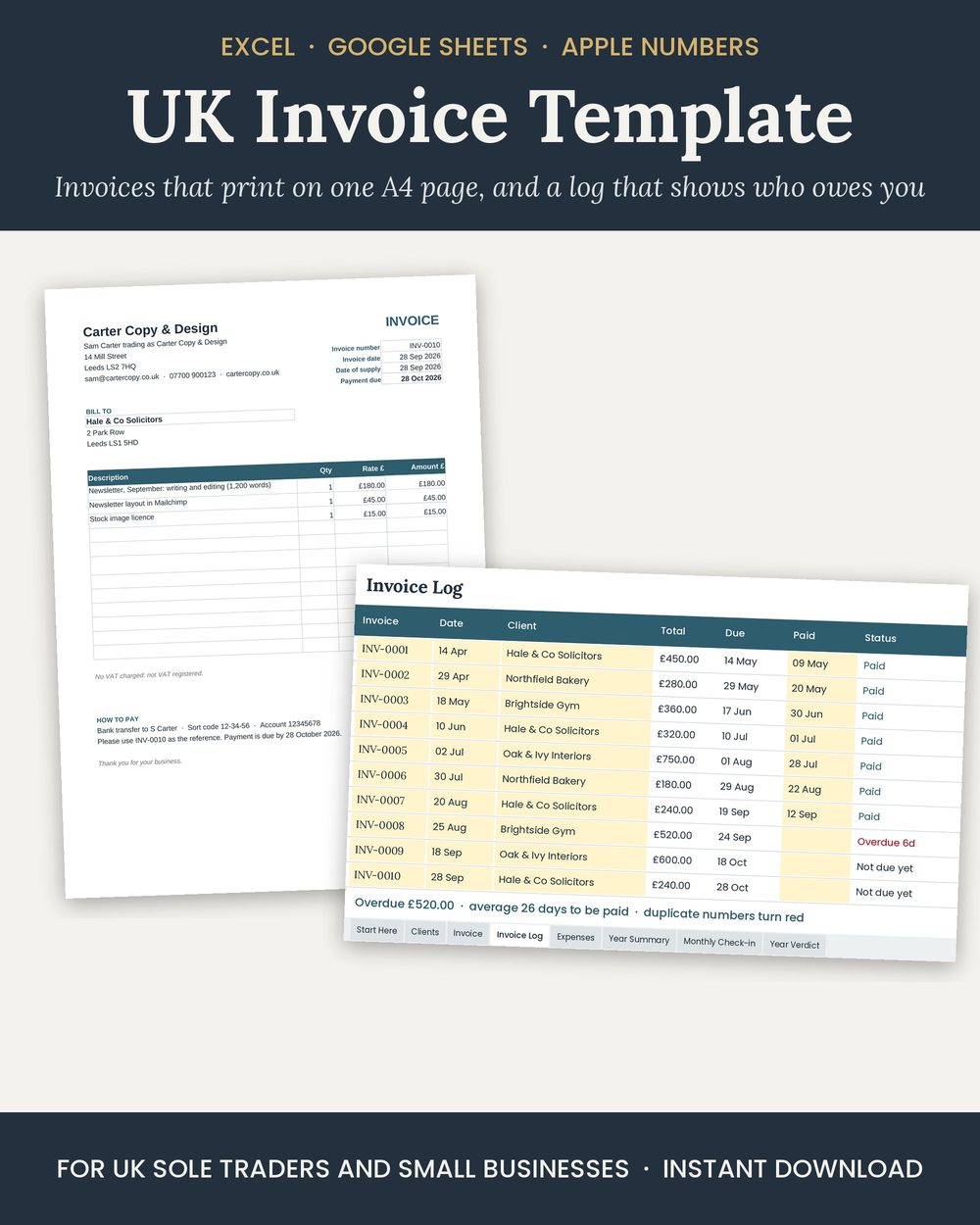
An invoice that does its own sums
Type your business and bank details once. Pick the client from a drop-down and the address fills in. Add the lines; the line totals, subtotal, VAT (only if you are registered) and the due date work themselves out. It prints on one A4 page, or saves as a PDF to email.
Get the invoice template on Etsy (£3.59)
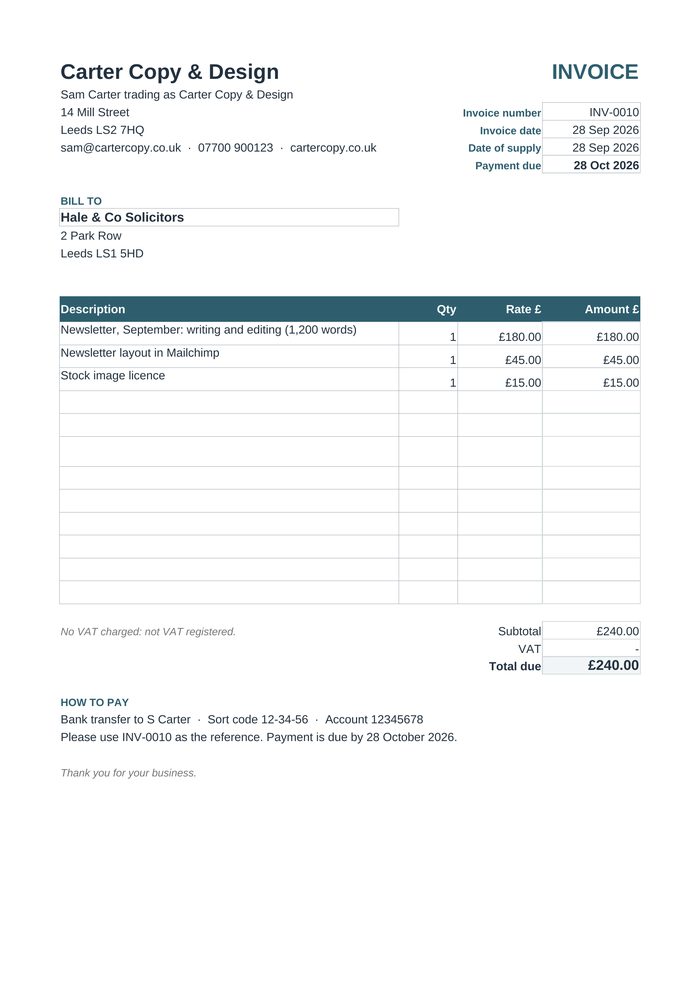
What every UK invoice must show
A panel beside the invoice (it is not printed) ticks these off as you fill it in. The list is GOV.UK's:
- a unique invoice number (the template shows the next free one)
- your name or company name, address and contact details
- the customer's name and address
- a clear description of what you are charging for
- the date of supply and the date of the invoice
- the amounts charged, VAT if you are VAT registered, and the total owed
Sole traders who trade under a business name also need their own name and an address where legal documents can be delivered. Limited companies need their full registered name.
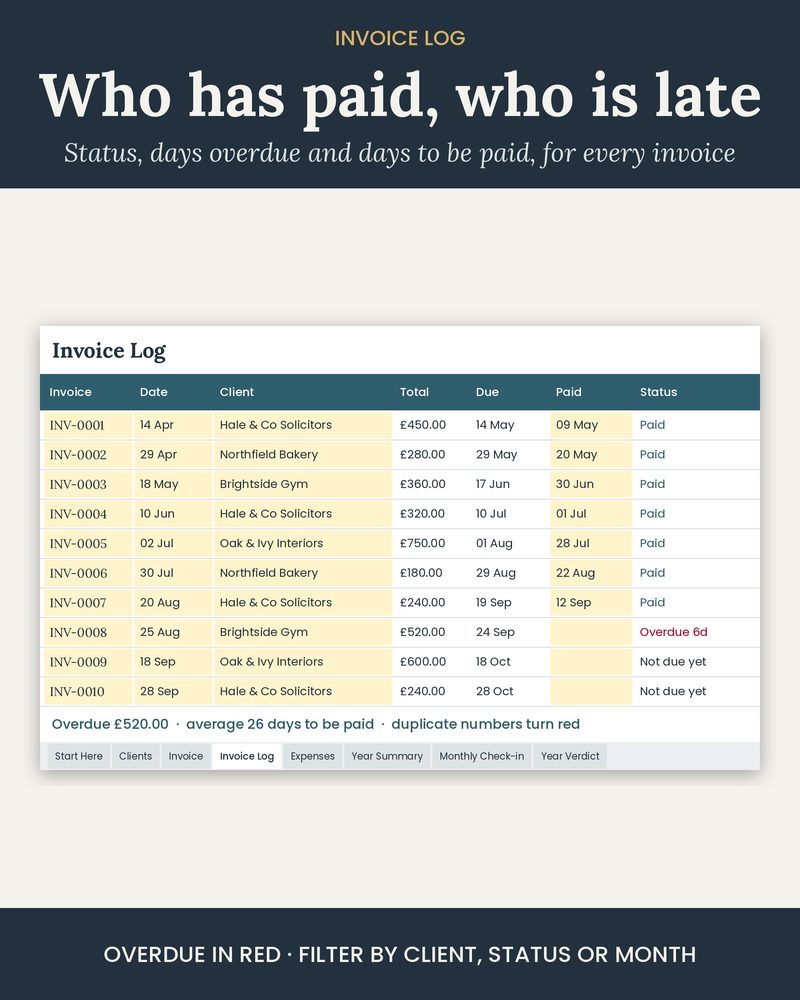
Who still owes you
Every invoice goes into the Invoice Log. Type the date paid when the money arrives; until then it shows Due in 5 days, Due tomorrow or Overdue, with the days overdue. It also works out how many days each client takes to pay, and flags any invoice number used twice.
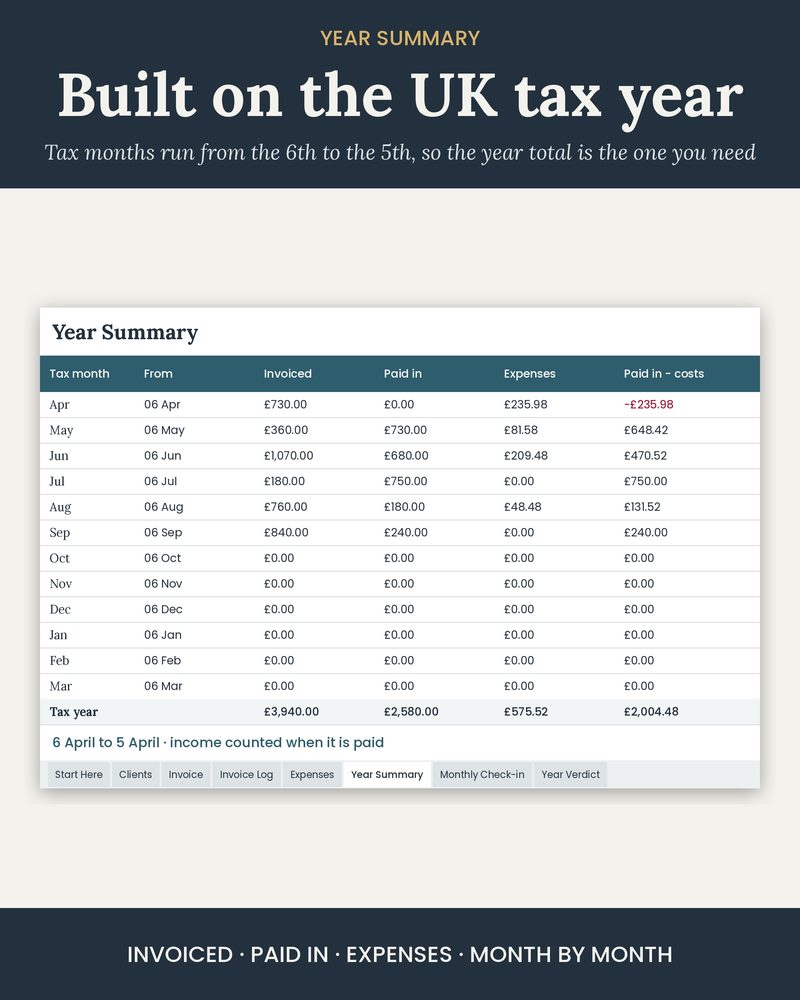
Built on the UK tax year
The Year Summary runs from 6 April to 5 April in tax months (the 6th to the 5th), so the year total is the one you need for Self Assessment: invoiced, paid in and expenses, month by month, with expenses grouped the way GOV.UK groups self-employed costs. Start Here shows this tax year at a glance, the Self Assessment online deadline, and how long to keep your records.
UK Invoice Template on Etsy (£3.59)Household budget? The UK budget spreadsheet
An organising tool, not tax or accounting advice, and not Making Tax Digital software. Check GOV.UK and HMRC guidance or ask an accountant. The business, clients and figures in the images are made up. Spreadsheet built with AI tools and checked by us.
Questions
What must a UK invoice include?
GOV.UK lists: a unique invoice number; your business name, address and contact details; the name and address of the customer; a clear description of what you are charging for; the date the goods or service were provided; the date of the invoice; the amounts; VAT if applicable; and the total owed. Sole traders using a business name also need their own name and an address where legal documents can be delivered.
Do I charge VAT on my invoices?
Only if you are VAT registered. You must register once your taxable turnover for the last 12 months goes over £90,000 (GOV.UK). The template adds VAT only when you set VAT registered to Yes, and puts your VAT number on the invoice.
When is an unpaid invoice late?
If you have not agreed a payment date, GOV.UK says a payment is late 30 days after the customer gets the invoice, or after you deliver the goods or service if that is later. The template's due date comes from your payment terms, and the Invoice Log shows which invoices are overdue and by how many days.
Does it work in Google Sheets?
Yes. It is a standard .xlsx file with no macros: open it in Excel, import it into Google Sheets (File, Import, Upload), or open it in Apple Numbers.
Is it Making Tax Digital software?
No. It is an organising tool, not tax advice and not MTD software. From 6 April 2026 sole traders with qualifying income over £50,000 must use MTD-compatible software (over £30,000 from April 2027 and over £20,000 from April 2028). Check GOV.UK or ask an accountant.